
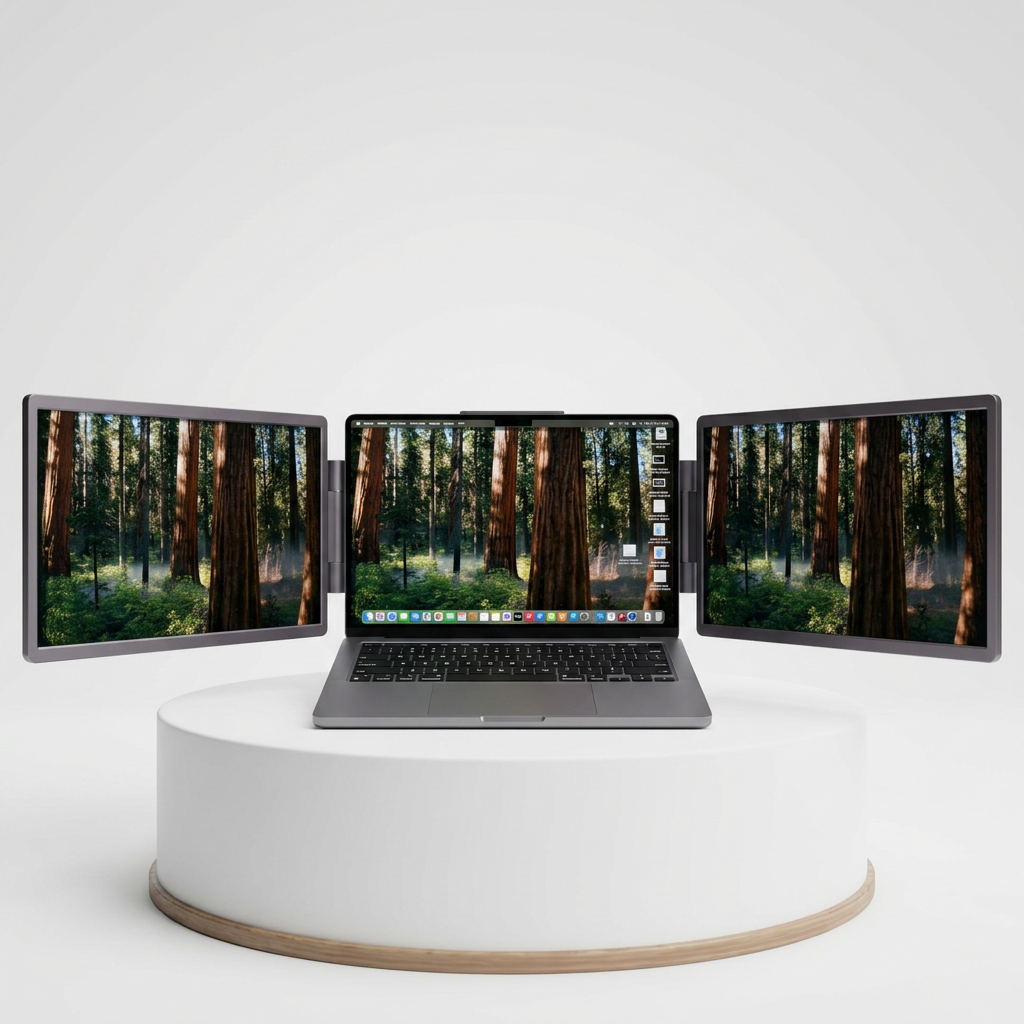
Dual-screen monitor for MacBook
Manta
Two 14″ displays that clip onto your MacBook and run off a single USB-C cable.
$449.00
Incl. VAT · Free DDP shipping to your door
- Two 14″ IPS panels at 300 nits
- One USB-C cable carries power and video
- Works with every Apple-silicon Mac, M1 to M4*
- Folds flat and travels in your laptop bag
30-day money-back
1-year warranty
Free DDP shipping
*Macs with a base M-chip run the second screen through our one-time display-setup app. 60 Hz · copy-protected video (Netflix, Disney+) won’t display on the side screens.
Buy with confidence
Try it. If it’s not for you, send it back.
30 day money back guarantee
Don't like it? Ship it back.
Setup Support
Problems with the setup? We support you.
1 Year minimum Warranty
Something broken? You get a new one.
Anywhere you open your Mac
Your desk, wherever you are.
Café, train, hotel room, home. Manta turns any flat surface into a full workstation.
The details
Everything, on the table.
| Side panels | 2 × 14″ IPS |
| Resolution | 2.5K 2560×1600* |
| Aspect ratio | 16:10 |
| Colour | 100% sRGB |
| Brightness | ≥ 300 nits |
| Refresh rate | 60 Hz |
| Connection | Single USB-C |
| Body | Aluminium unibody |
| Compatibility | 13–16″ · M1–M4 |
| Weight | under 3 kg* |
* Final specs being confirmed with the manufacturer.
The honest part
What you should know before you buy.
We’d rather tell you up front than have you find out later. Three things that come with how this product works:
- A one-time setup app. To drive two screens on every Mac, Manta uses a small display app you install once on first connection.
- 60 Hz, not 120. Smooth for work, browsing and video calls — built for productivity, not high-refresh gaming.
- DRM streaming stays on your Mac. Netflix, Disney+ and other protected video won’t play on the side panels — keep those on your main display.
No asterisks in the marketing. It’s all right here.
How it compares
Why Manta, and not the alternatives.
| Manta | Cheap FHD monitor | Just your laptop | Desktop monitor | |
|---|---|---|---|---|
| Two extra screens | ||||
| Truly portable | ||||
| Single USB-C cable | ||||
| Built for MacBook | ||||
| Aluminium build | ||||
| Resolution | 2.5K* | 1080p | — | 4K |
Which MacBook do you have?
Pick your model and we’ll confirm fit and the right Manta variant.
Questions
Everything you might be wondering.
Does it work with my MacBook?
Manta works with every Apple-silicon MacBook (M1–M4) from 13–16″ — Air and Pro, base chips included. Intel Macs are not supported.
Do I need to install anything?
Yes — a small display app, once, on first connection. It’s what lets Manta drive two screens even on Macs that natively support a single external display.
Can I watch Netflix on the side screens?
Protected video (Netflix, Disney+ and similar) won’t display on the side panels. Keep those on your main Mac screen; everything else works normally.
How is it powered?
A single USB-C cable carries both video and power from your MacBook — no separate adapter for everyday use.
Shipping, returns and warranty?
Shipped DDP with duties included, 3–5 day delivery. 30-day money-back and a 1-year warranty (extendable with Manta Care).
Why we built Manta
We wanted a real workspace that travels — not a compromise. So we built the screen we wished existed, and we’re honest about exactly how it works.
Moritz, FounderManta
Resources
Manuals & downloads.
Ready when you are
Open your Mac. Open two more screens.
Free DDP shipping, 30-day money-back, 1-year warranty. Try Manta on your own desk.